
StormforgeINDEPENDENT WIKI

Building & survival

How to Repair Weapons in Stormforge Demo

PC Demo v0.1.036.28256 • You need access to an existing Repair Station.

At a glance

At an existing Repair Station in Demo v0.1.036.28256, press E for REPAIR ALL ITEMS. Your damaged hotbar items should return to full green durability bars; the station then shows NO ITEMS NEED REPAIRING.

Find a Repair Station

The Repair Station is a building-mode item. This repair sequence starts with a station already placed and available to use.

Repair your equipment

  1. Approach the Repair Station with damaged equipment.
  2. Look for E — REPAIR ALL ITEMS.
  3. Press E, then check the durability bars on the same items in your hotbar.
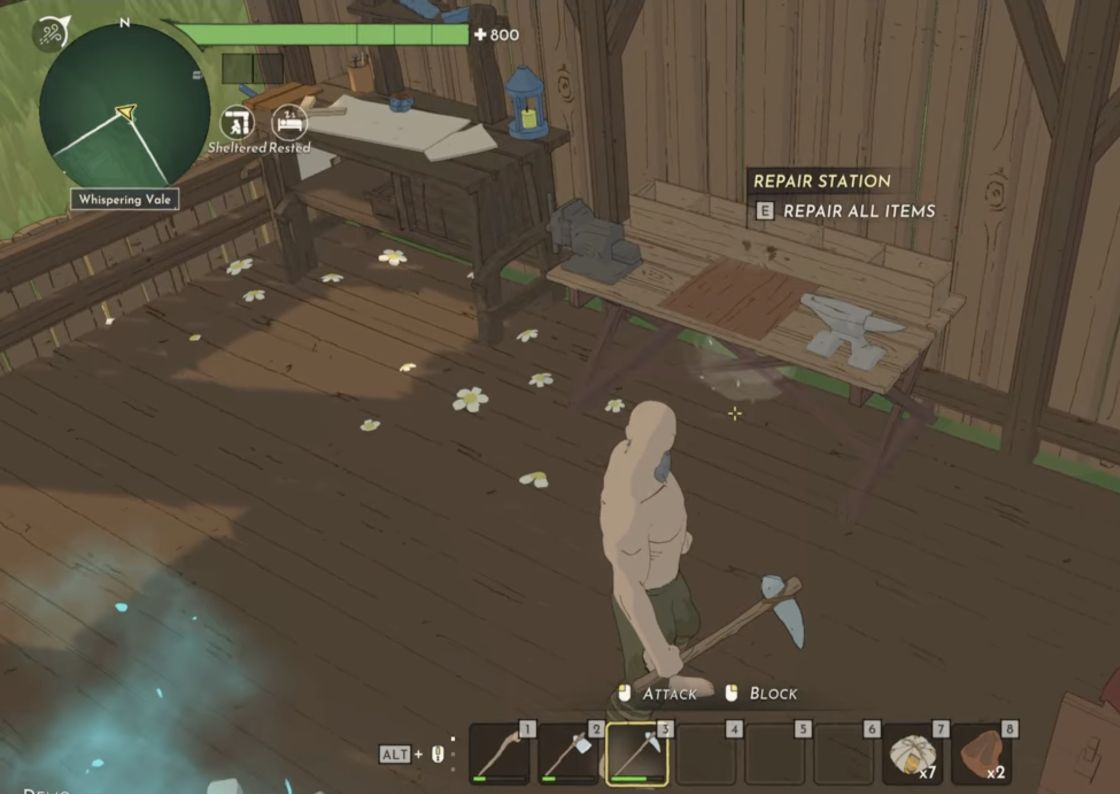
Repair Station interaction prompt with partially depleted durability bars in hotbar slots one to three.
Before repairing: the station shows E — REPAIR ALL ITEMS and the hotbar durability bars have gaps.
Open image ↗
Repair Station interaction prompt with partially depleted durability bars in hotbar slots one to three.
Before repairing: the station shows E — REPAIR ALL ITEMS and the hotbar durability bars have gaps.

Recognise the repaired state

After the repair, the previously depleted green bars fill up. The station changes to NO ITEMS NEED REPAIRING when there is nothing left for it to repair.
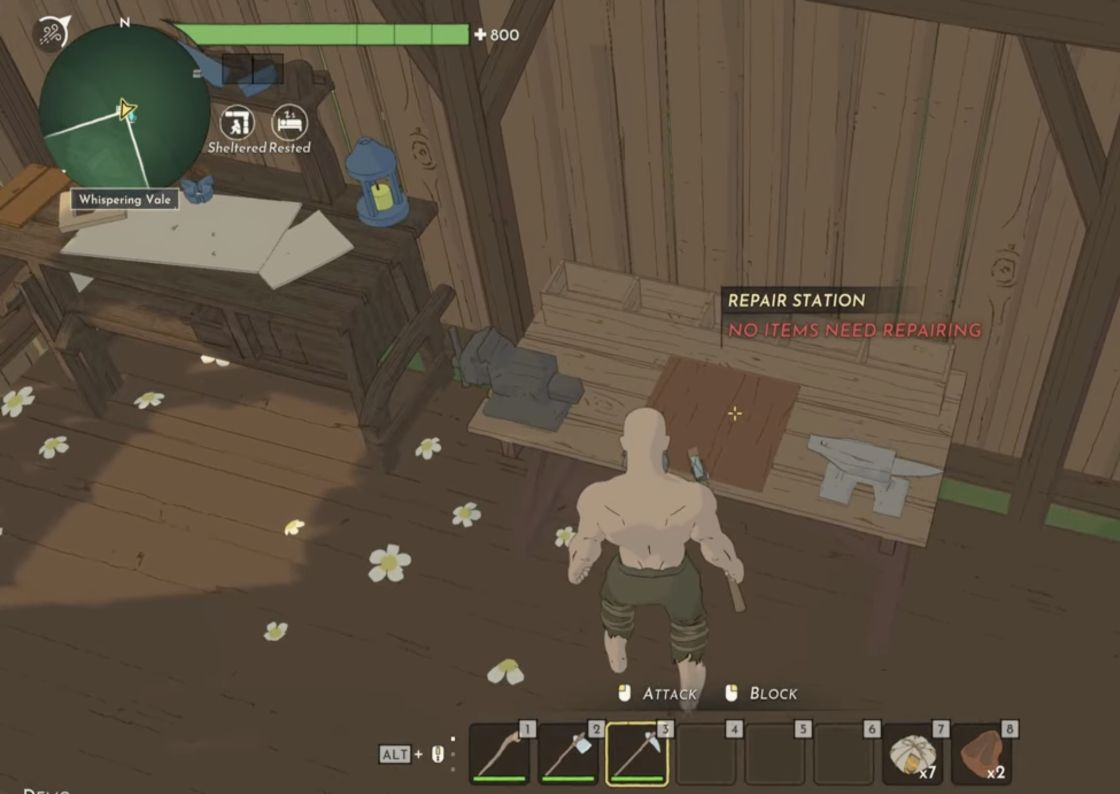
The same hotbar items have full durability bars after repair.
After repairing: the same hotbar bars are full and the station says NO ITEMS NEED REPAIRING.
Open image ↗
The same hotbar items have full durability bars after repair.
After repairing: the same hotbar bars are full and the station says NO ITEMS NEED REPAIRING.

That message is a normal result after a successful repair. It does not mean the station failed to work.

Search