
Gather the materials
| Material | Per campfire |
|---|---|
| Softwood | 2 |
| Resin | 1 |
Chopping a fallen log can give Softwood and Resin in this build. The recipe below starts once CAMPFIRE is already available in your build menu.
Select and place the campfire
- Open the Build Menu with your building tool.
- Go to BASIC and select CAMPFIRE.
- Move the preview to a spot clear of your character and other objects.
- Use the on-screen BUILD action to place it.
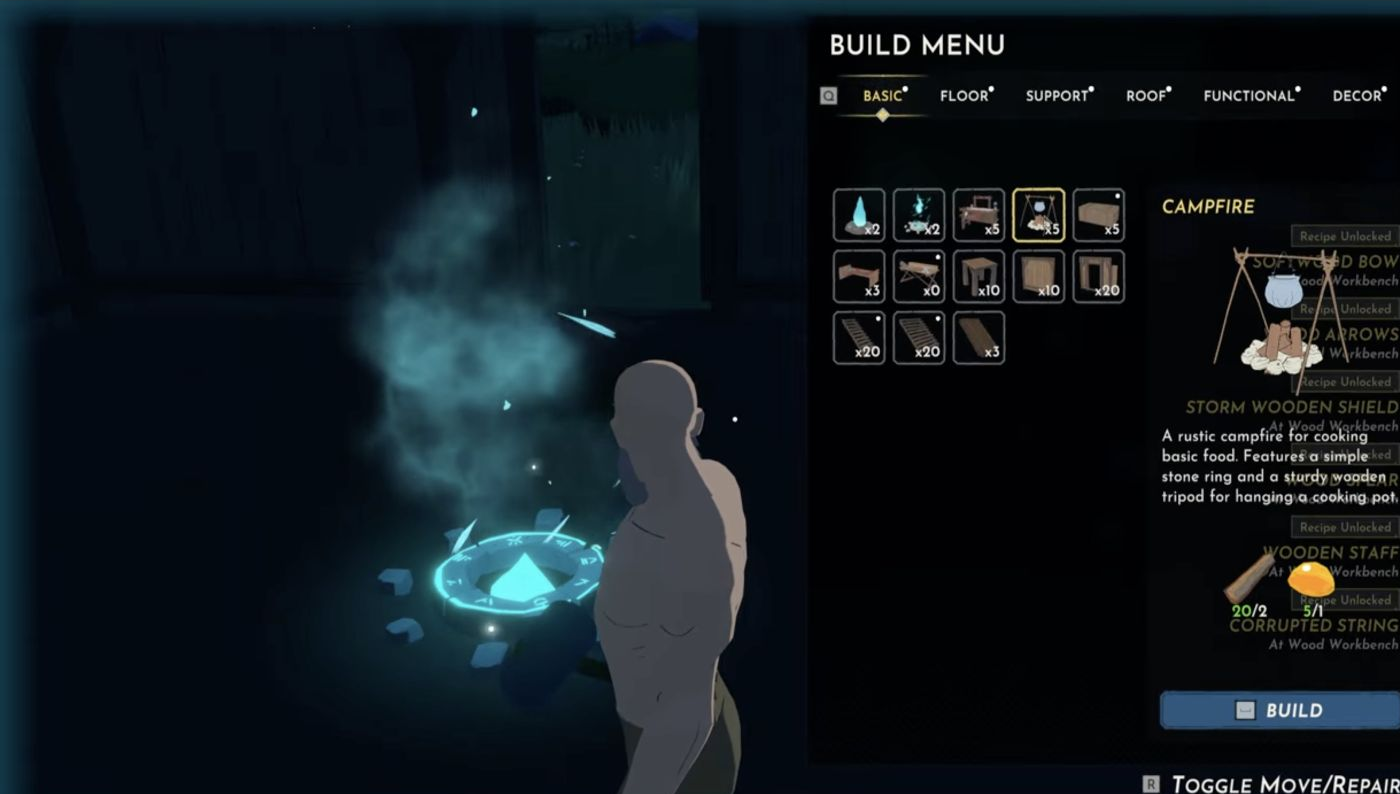
Check that it worked
A successful placement consumes 2 Softwood and 1 Resin. A lit fire with a hanging pot remains in the world when you switch to another building item.
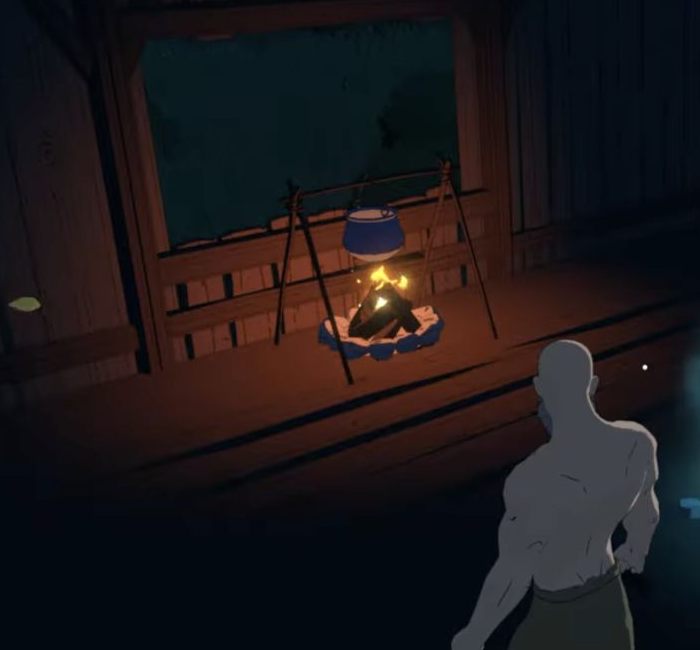
If the next preview turns red with “Overlapping a player or object”, move it away from the existing fire or leave build mode. That message can refer to the next copy you are trying to place, even though your first campfire is already built.